- What is Logo Animation?
- Why Logo Animation Matters for Your Brand
- 8 Creative Logo Animation Styles
- Logo Animation Examples Worth Studying
- Where You Can Use an Animated Logo
- Create a Logo Animation That Works
- Logo Animation Tools by Budget and Skills
- What Separates Memorable Logo Animations from Forgettable Ones
- Why Professional Logo Animation Services Are Worth It
- Create a Memorable Brand Identity with Motionbees
- Give Your Logo Animation the Motionbees Touch
You may have seen a dozen logo animations this week. Maybe when you watched a YouTube channel intro, a random brand advertisement with its logo on it or opened several apps on your phone. Do you recall all of them?
Probably not. You know why? Because majority of them are still visuals that are either skipped or forgotten as soon as they leave the screen. However, there are only a few that remain with you for years. You can hear them, see them and even recognize them before reading the brand name.
It’s not about the budget and effects. It’s whether or not the motion is truly representative of the brand. That is what good logo animation is all about. It transforms what people just look at into what they feel.
Logos were made to sit still, but brands now live on screens where still images get scrolled past, and logo animation fixes that.
In this guide, we’re going to examine the primary styles of logo animation, examples to check out, and how to have one created without it coming across as a template.
What is Logo Animation?
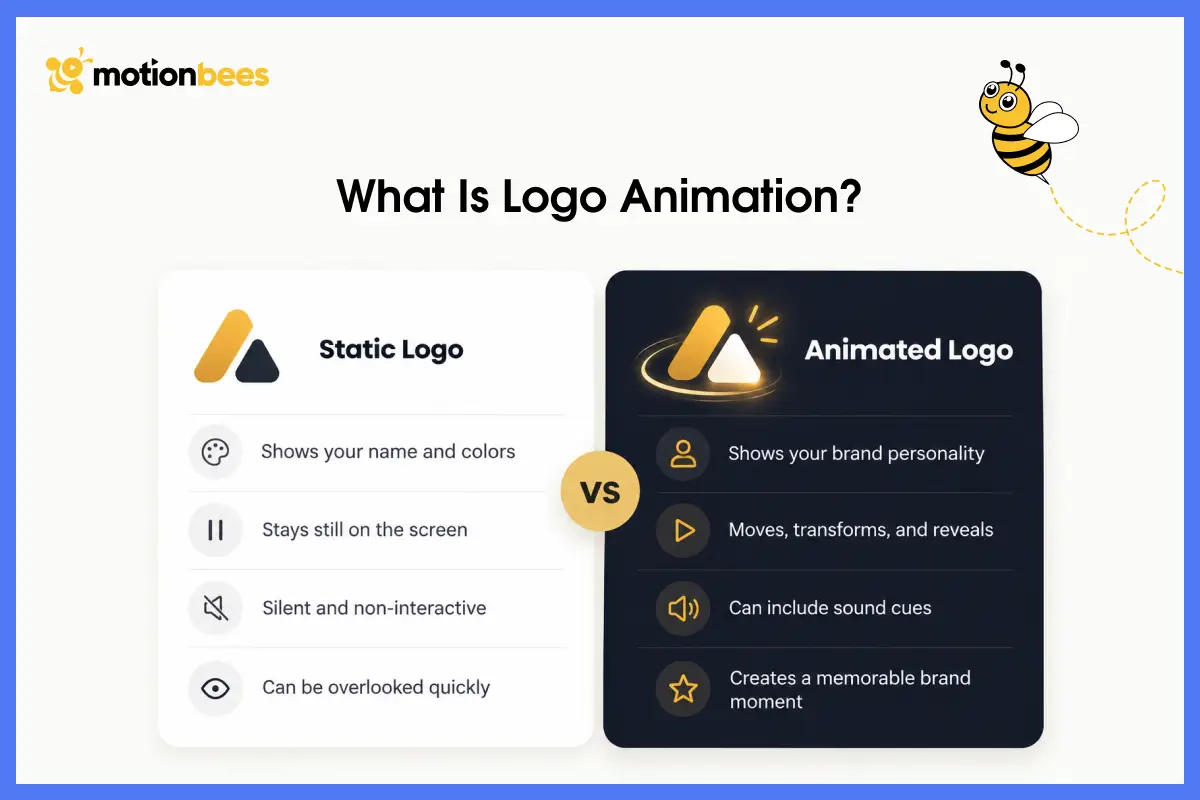
Logo animation is the art of making your logo move. Shapes glide into position, letters self-assemble themselves, colors change or a small character bounces around the screen before the entire logo comes into place. A number of the logo animations have sound effects, such as a soft chime, or a punchy beat to make the moment land harder.
A static logo is similar to a snapshot of a person. Whereas, an animated moving logo is like seeing that seeing that same person in motion. One refers to a picture while the other refers to who you are.
You must know that the logo itself never changes. It evolves with different colors, shapes, arrangement and added animation. However, the final product still ends on the exact logo your customers already know. The motion simply gives it a more memorable way to land.
Why Logo Animation Matters for Your Brand
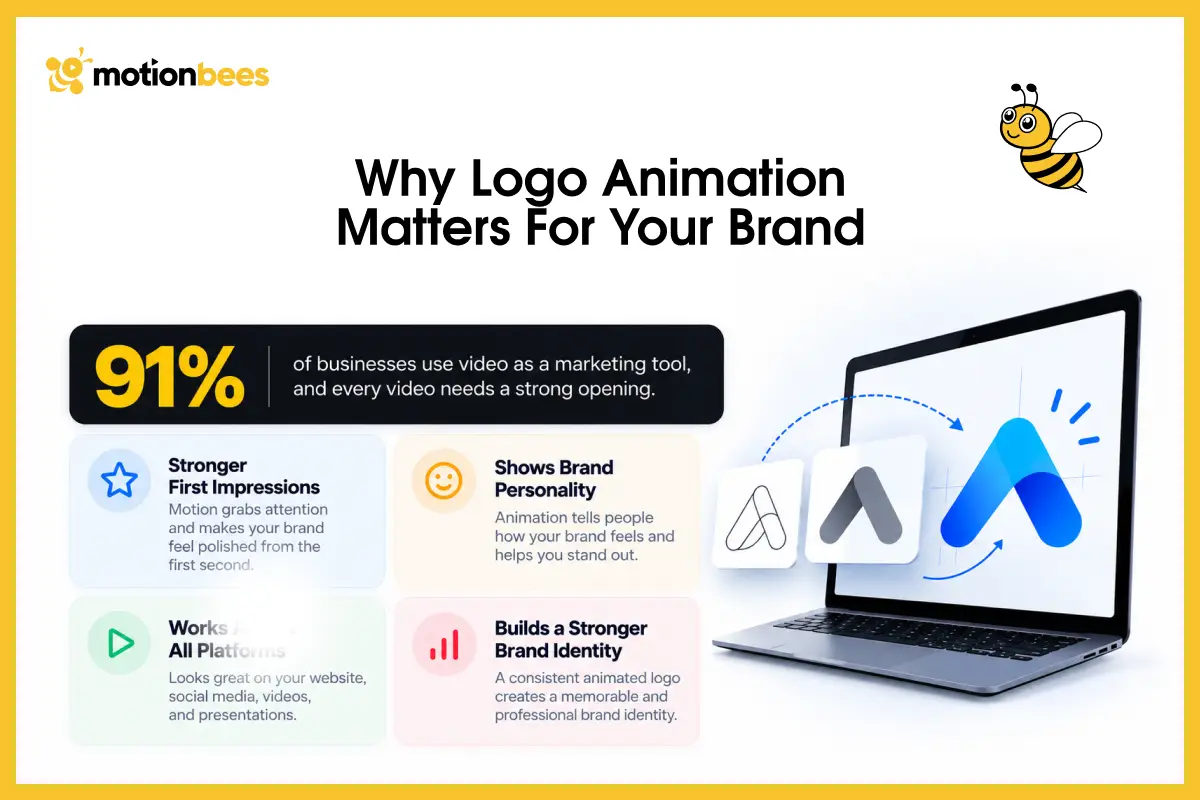
It takes a mere second to make an impression online. A soft, animated logo in a video or app makes it appear well polished and professional. Motion is also a manifestation of personality.
For example, a bounding logo feels friendly, and a logo that fades with a subtle hum sound feels premium. One can try different sounds and effects to give their logo a personalized feel.
There’s also a functional aspect to logo animations. As we know that video has become ubiquitous in marketing as Wyzowl 2026 video marketing report revealed that 91% of businesses use video as a marketing tool.
Every video needs an opening and a closing. A consistent animated logo makes your brand look the same everywhere, and that’s what logo animation for branding is all about.
8 Creative Logo Animation Styles
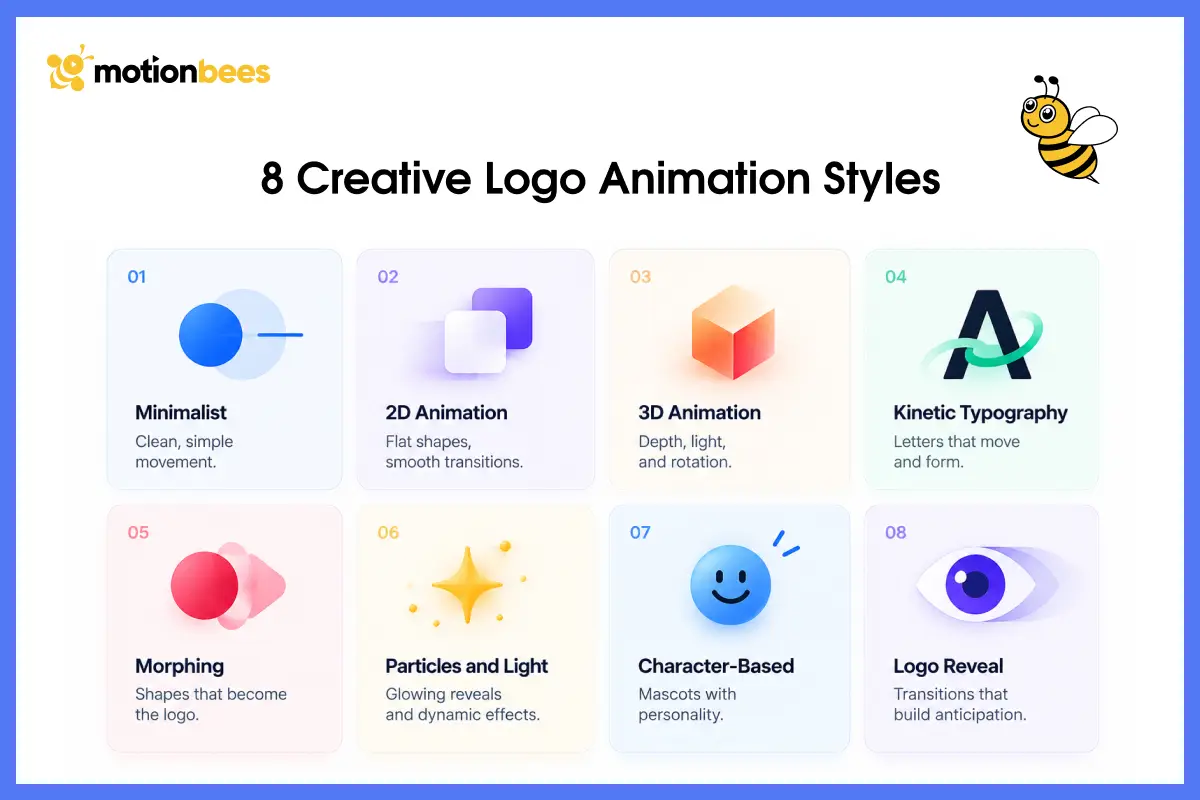
There is no right or wrong way to animate a logo. It all comes down to the shape of your logo, the nature of your business, and the impression you want to create. For those who want to go beyond logos, here are some of the famous logo animation styles.
Minimalist Logo Animation
Minimalist animation is subtle, it’s a gentle fade, a simple slide or a single line that draws the logo. It works well for any brand that needs to exude composure and confidence, be it a law firm, tech business, or anything in between. The less movement, the more premium.
2D Logo Animation
2D Animation uses flat shapes, typography and illustrations, along with smooth transitions between movements. It is the most flexible and economical solution and it is best suited for startups, apps and brands that have simple graphic logos.
3D Logo Animation
The 3D animating gives it depth, lighting and rotation thus making your logo look like a real object in space. When you think of a metallic logo, think of how it catches the light as it rotates and shines. It adds an immersive element that is suitable for movies, gaming companies, and product launches.
Kinetic Typography Logo Animation
With a text-based logo, use kinetic typography to have the letters do the work for you. They can type themselves out, jump into place, or stretch and snap together. It’s a no-brainer for media brands, agencies, and personal brands.
Morphing Logo Animation
Morphing animation is the process of changing one shape to another and it becomes your logo. A letter may be extended to become a circle, or an icon may fold to create your wordmark. A clever way to share a short story about your brand.
Particle and Light Effects
The logo appears in the form of sparks, glowing dots or light trails. It’s lively and appropriate for tech, gaming and entertainment brands but it can seem like a stock template if overused.
Character-Based Logo Animation
If your brand has a mascot, have it move! Before the logo settles, a character can wave or jump or interact with the logo. This style is great for children’s brands, food companies and consumer applications, as it creates instant warmth.
Logo Reveal Animation
A logo reveal relies on a creative technique. It could be exposing a logo with an ink splash, a paper tear, a camera-cut or a line that fills in. You will mostly find such reveals in introductory videos where such logo reveal animations add a little bit of anticipation. Motion graphics play an important role here; it adds that extra sheen which outstands generic videos.
Logo Animation Examples Worth Studying
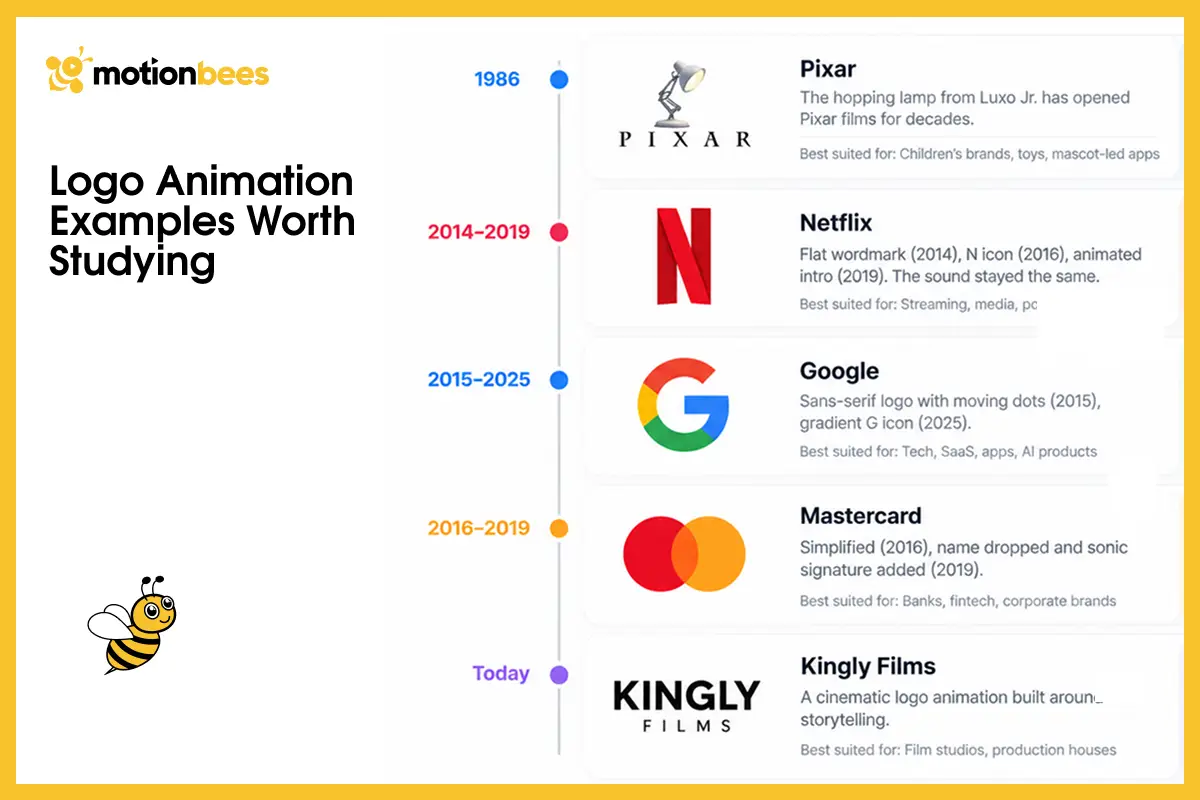
Some of the best logo animation examples come from brands that have been constantly changing without compromising on their identity. Let’s take a look at what it did, how its logo changed, and who could benefit from it.
Netflix: Sound and Color as a Signature
The introduction to Netflix begins with the red N, followed by a ribbon of colors that erupt out of the letter, along with the iconic “ta-dum.”
The brand of course didn’t come out of thin air. Netflix’s wordmark was completely redesigned in 2014, received the standalone N in 2016, for better placement on mobile screens, and the colorful animated title you recognize was introduced in February 2019.
According to Creative Bloq reports, the animation took two years to produce and Netflix left the original sound in place for a reason.
The lesson here is that a logo doesn’t have to change but the sound does and people remember the sound. It’s an example that should be studied for streaming platforms, media companies, podcasts, and YouTubers, where audio is just as important as video.
Google: A Logo That Works for You
Google has replaced the serif logo it has been using since 1999 with a simpler sans-serif one in 2015. It also transformed the logo into a system! According to Google Design, the four colored dots are an ever-changing representation of the Google logo and are employed in interactive situations, such as when Google hears a voice query.
In 2025, Google again changed its “G” icon, this time with a smooth gradient shade across the block, which is now used in its product, not just in Google+.
The lesson is that an animated logo can serve a purpose, it’s not necessarily pretty, and that if you’re careful about what you update, you will keep a brand alive without clogging up people’s brains.
Google is the best example for a tech company, SaaS product, app, or AI to learn from, particularly if it has a loading, listening, or thinking state in its product.
Mastercard: Simple Shapes, Simple Motion
The red and yellow circles of Mastercard are in use since 1966. The logo was updated in 2016 by the design studio Pentagram, making it the first change in 20 years. In 2019, Mastercard removed its name from the logo altogether.
According to Dezeen, over 80% of people were already familiar with the symbol without the word. That same year the brand synced its circles to a short sonic signature, and the logo now moves and sounds the same all over.
The takeaway from this lesson is that there’s no need for fancy effects when your logo is good enough to start off with. Fintech startups, insurance companies and corporate brands with simple geometric logos can take inspiration from this.
Pixar: Personality Through a Character
Pixar’s little desk lamp hops into the frame, squashes the “I” in its name, and then takes its place. It first showed up in Pixar’s 1986 short film Luxo Jr. and has been used in Pixar films for decades since, with only minor variations in the hop.
Sometimes, the best transition is no transition at all, especially if the animation has already been ingrained in the brand’s image.
The lesson here is a character can convey more about a brand in three seconds than a tag can. This is a must read example for kids’ brands, family entertainment, toy brands, food brands, and consumer apps with a mascot.
Kingly Films: A Logo Animation from Motionbees
Our team designed a logo animation for Kingly Films, a storytelling and film production brand, following the cinematic style they are recognized for. It can be seen in our work.
The lesson is, that custom logo animation should be in line with what a company does, and not just what looks nice. This style is perfect for any film studios, production house, creative agency, or small company in the media industry to make them look bigger and more cinematic from the very first frame.
Want your logo to have a moment like these?
We produce tailored logo animation that makes people remember brands for years.
Where You Can Use an Animated Logo
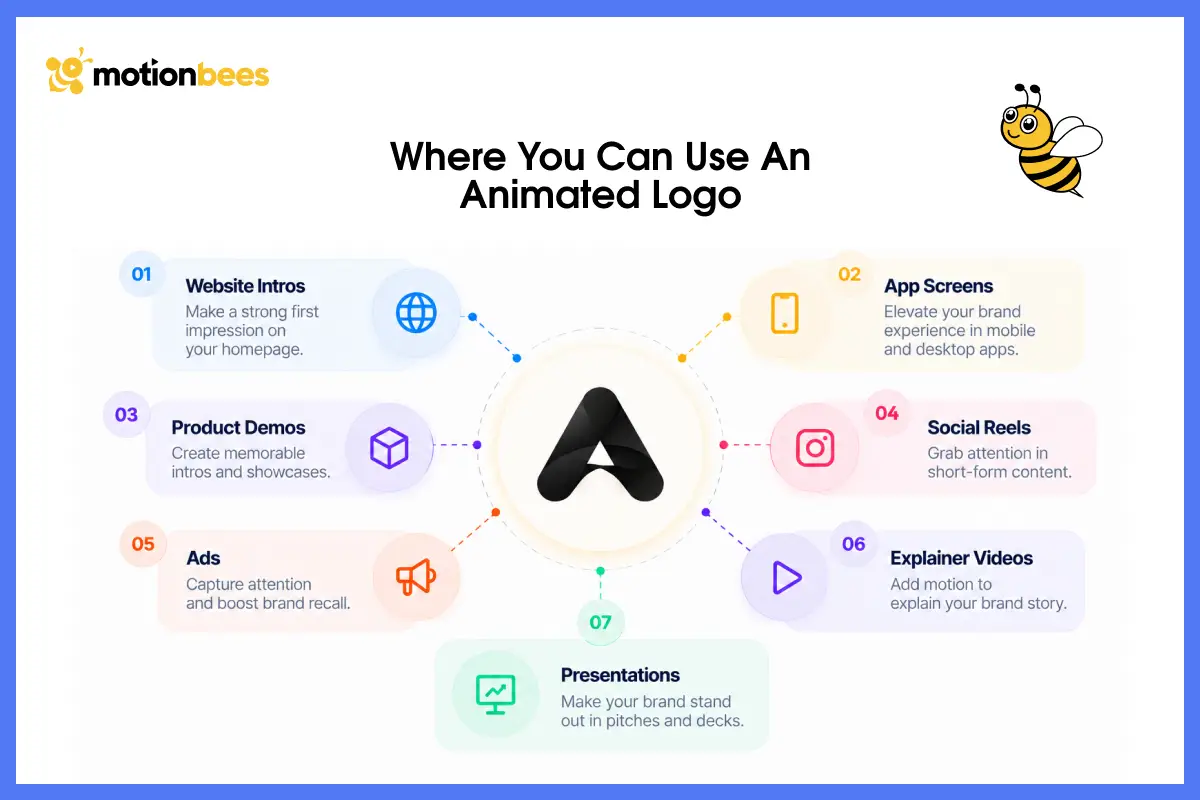
An animated logo is a brief introduction to your website, the first and end screen for every YouTube video, and a familiar opening or closing screen for your reels, stories and ads.
It is also suitable for product demos and presentations. For those who are creating explainer videos, an animated logo is the ideal option for the beginning and end of the video.
Create a Logo Animation That Works
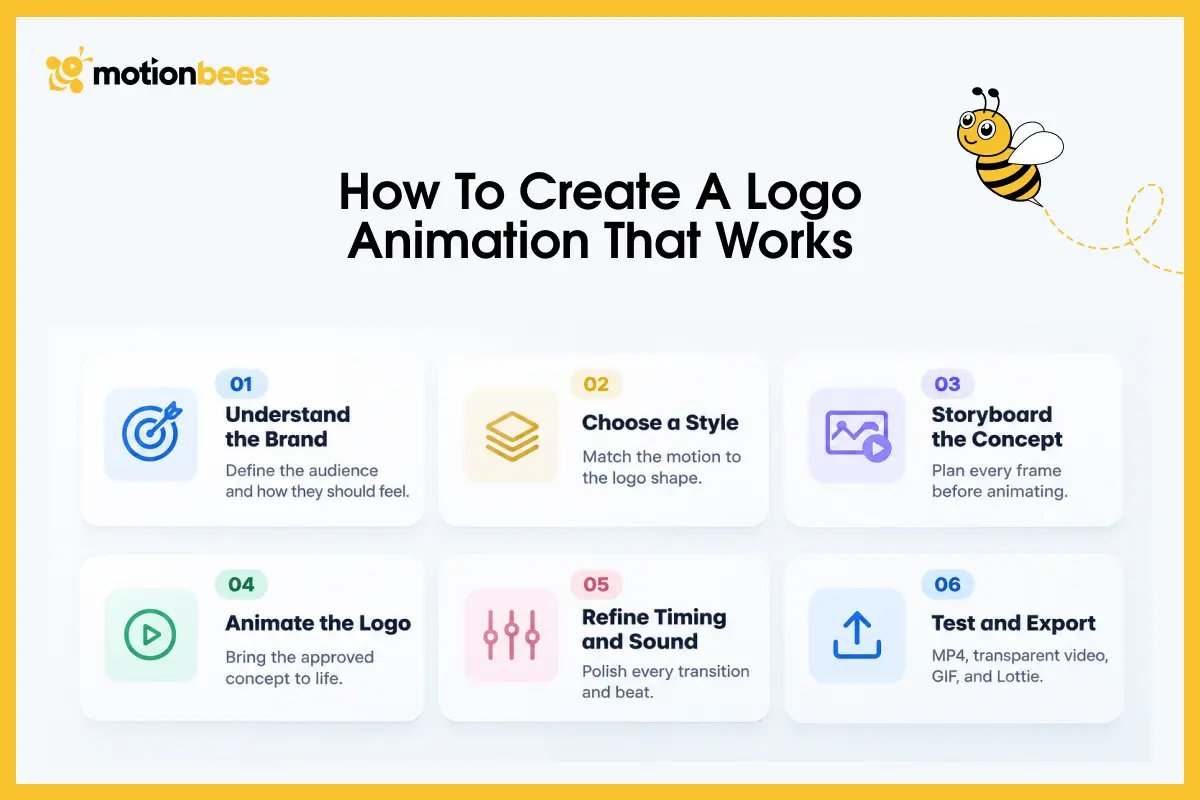
One thing is common is all the successful logo animations out there. They don’t just carry fancy effect but are animated around the brand story. For example, who is it for and what does it want the audience to feel during once it appears?
It takes proper efforts and planning. By sticking to a personalized brand story, you choose a style appropriate to your logo’s shape. It could be circles that roll, or bounce, and maybe sharp angles that cut or snap.
Once that’s decided, have a team that works on the concept and collaborates on an animation storyboard, frame by frame. This will ensure that everyone who is working and the client itself is on the same page before the actual animation work starts.
Then animators take the concept and work out the timing, transitions and sounds. Good animation becomes great when executed at the right moment.
Last, but not least, the animation requires testing on various screens and platforms. It should be exported in to correct and required file formats including MP4 for video, transparent versions for overlays, GIF for emails, and Lottie for websites and apps.
Do you own a logo but want to animate it?
Contact Motionbees experts to have detailed consultation and choose animation style that will better suit your brand.
Logo Animation Tools by Budget and Skills
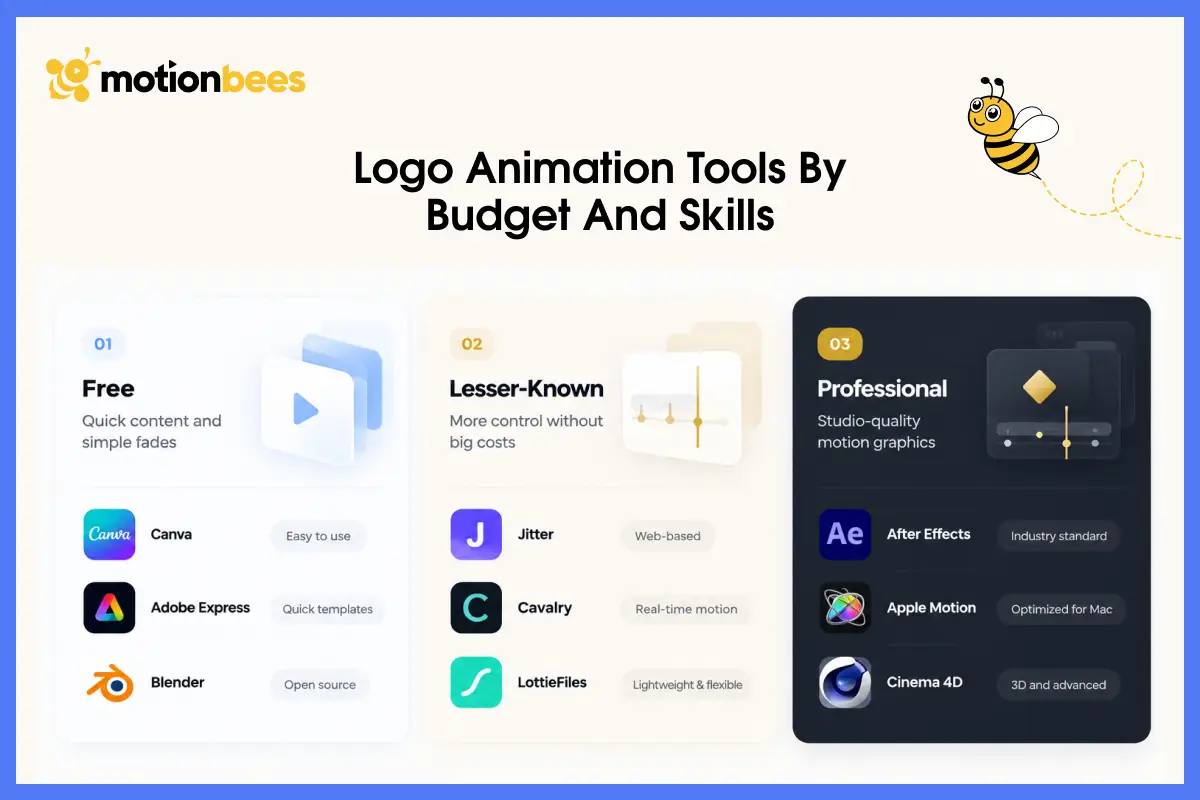
However, not all logo animation requires a studio. There are lots of animation tools available that you can use for your own logo and some of the most popular are not the ones you’re familiar with.
Free Tools for Quick Results
Both Canva and Adobe Express offer free versions that include pre-made animation templates. You can use them to create a basic logo that fades or slides. They’re ideal for social media posting or for a temporary introduction.
To experience 3D effects, use Blender as it is free and open source, but quite complex to learn.
Other Useful Tools to Try
Jitter is a browser-based motion design tool and it is similar to Figma. You can import your design and animate it without any knowledge of After Effects. The free version comes with a watermark and lower-quality exports, but it’s a good way to prototype concepts.
Cavalier is a 2D motion tool that is very popular among motion designers for its clean and practical animation, and one can use it without any cost.
If your aim is to employ logo animation on apps and websites, using LottieFiles is a better option. It can help you make and share animations that load quickly and are lightweight.
Professional Tools for Studio Quality
To create logo animation and motion graphics, the industry standard software is Adobe After Effects. Moreover, they do come with a subscription fee.
Now for Mac users, there is Apple Motion and it needs a one-time purchase. However, both are capable of giving amazing results, but require skill and time to master.
Picking the Right Logo Animation Tool
Canva or Adobe Express are the best options if you’re looking for something quick for a social post or a personal project. For designers who wish to have more control without big investment, Jitter or Cavalry are the go-to tools. After Effects is the most powerful option if you’re comfortable with professional software and have the time to learn.
However, a template tool is not typically the best solution when you need to animate a logo for your business. A logo lasts for years, although, you can evolve it with time. So, this is where having a professional team is of great benefit.
What Separates Memorable Logo Animations from Forgettable Ones
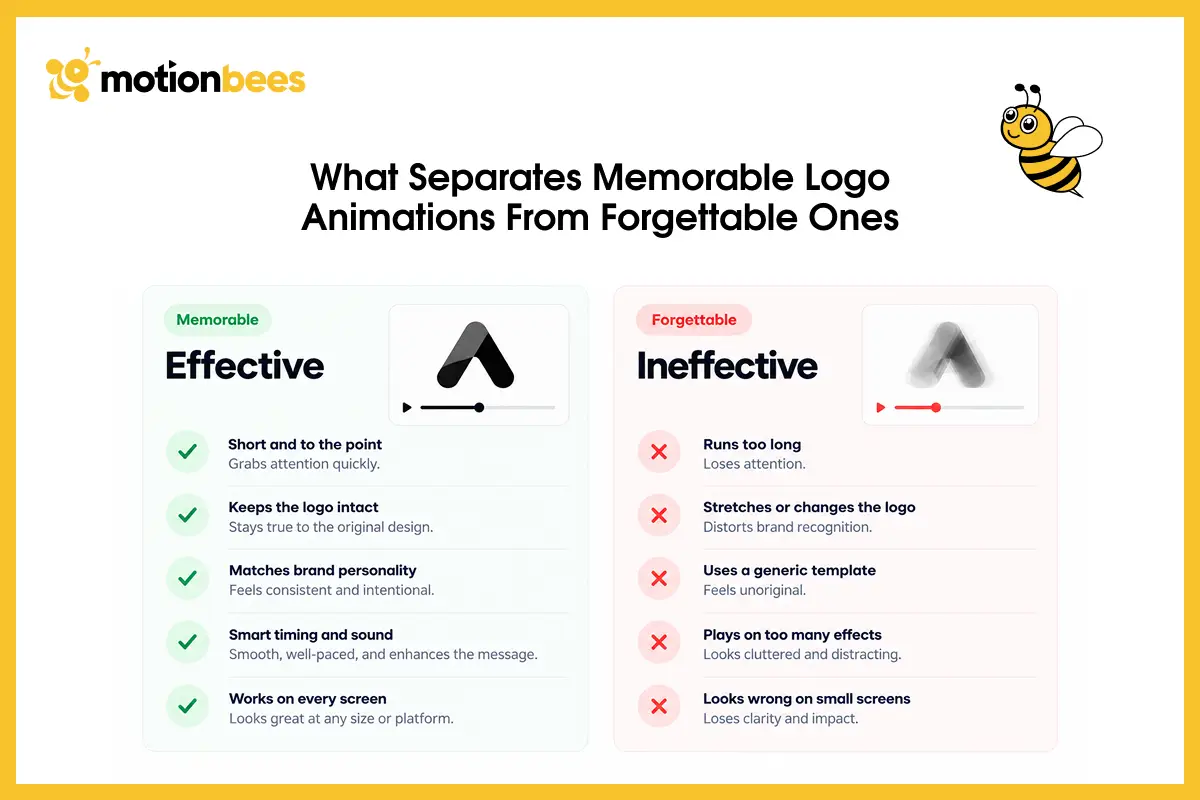
Logo animations with a lasting impression are always brief. They won’t have the main character vibe, instead, they will act as an introductory visual for your brand.
While you’re making one, you can be as creative with the movements as you want. However, make sure that the final product is exactly the same logo that people are familiar with. There must be no discrepancy in standard colors or shapes and are not stretched when appear on different screens.
On the contrast, logo animations that are easily forgettable carry some of the common errors. They carry effects that easily get lost amongst the sparks and swooshes. On screens, they take too much time to load.
Also, the sound and timing are extremely poor which adds a hurried effect. All of this usually happens when an animator decides to follow a template tool instead of doing something that stands out.
Why Professional Logo Animation Services Are Worth It
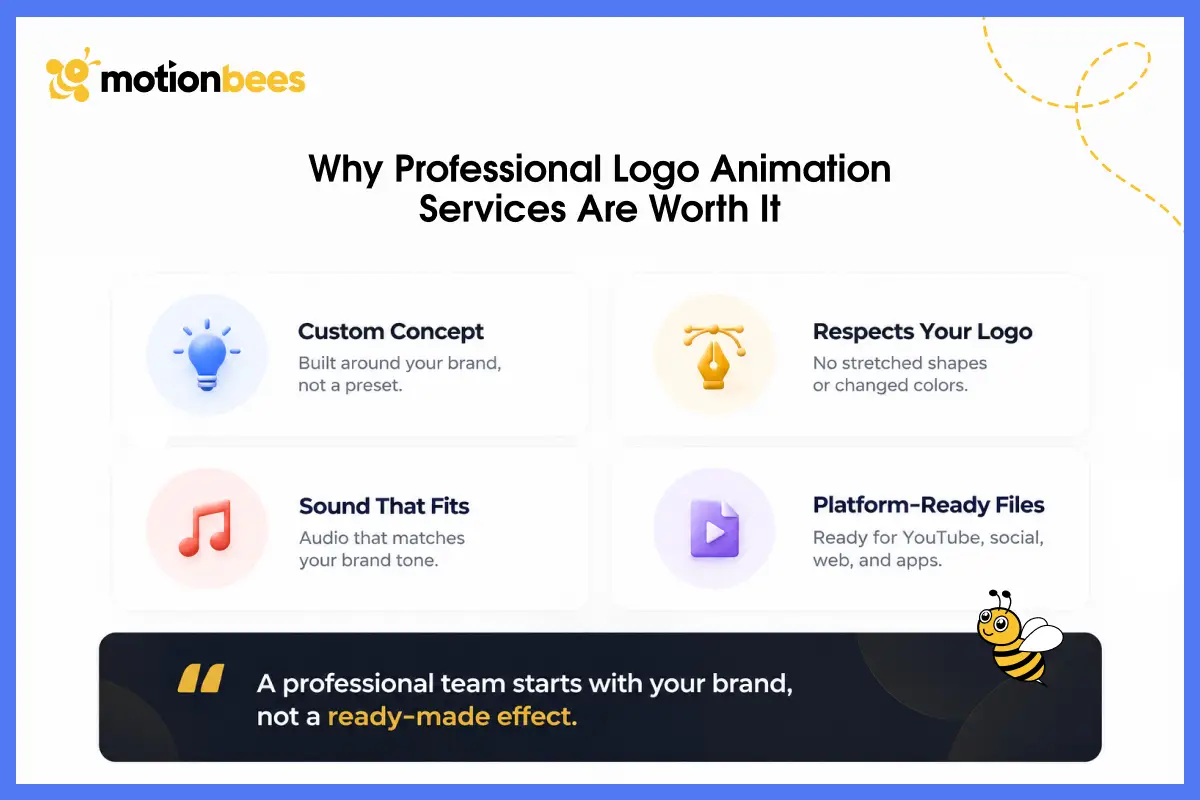
You can easily generate an animated logo within minutes using template tools. Although, such logo has little to no impact since they are used by variety of channels. To actually make an impact, you either need to be an expert or hire professional logo animation agency. Someone who understands your brand personality and is willing to animate your logo around it.
When you hire professional logo animation services, you’ll receive a custom concept for your logo, even the music that fits your brand, and platform ready files for each channel. Such logos have a uniform brand presence throughout your marketing.
Create a Memorable Brand Identity with Motionbees
We don’t just see a logo at Motionbees, we see the beginning of a story. From the concept to delivery, our professional logo animation services cover all the bases. Whether you’re looking for a clean minimalist reveal, a cinematic 3D logo intro, or even a mascot with real character, our animators can fulfil your complete project needs.
Conclusion
Now back to the question we began with! How many logo animation is you able to recall from this week? If you could only think of one or two, that’s okay. Most people can’t. And the ones that did stick, they weren’t the flashiest but felt like the perfect fit for the brand.
So here what it tells us to do. The logo should be brief, refrain from playing with the logo, and use the movement to highlight the personality of your brand. If you get this right, no one will ever miss your logo again. In fact, they’ll look forward to it!
Give Your Logo Animation the Motionbees Touch
Both Netflix and Pixar have their own unique logo designs. One has a unique sound while other has its lamp. Your brand also needs its own moment which is not possible through stock template that thousands of other brands have used.
Want to make a lasting impact with logo animation? Just send us your logo, and we’ll animate it the way you like.
Start My Logo Animation
It’s the process of adding movement, effects, and sometimes sound to a logo to make it more memorable.
The main types are minimalist, 2D, 3D, kinetic typography, morphing, particle and light effects, character-based, and logo reveal animations.
Most work best at just a few seconds, so they hold attention and fit easily into videos and ads.
It depends on the style, length, and complexity. Simple 2D animations usually cost less than 3D or character work.
Yes. Animators just need your original logo design files.
In video intros and outros, websites, social media, ads, presentations, and apps.
Simple animations can take a few days, while 3D or character work takes longer, depending on revisions.
An effective logo animation is short, matches the brand’s personality, keeps the logo recognizable, and works well on every screen and platform.

Hafsa Hanif is a talented content writer at Motionbees, Webnhubs and Artisticore specializing in topics such as graphic design, web design and development, logo design, and animation. With her deep understanding of design principles and creative processes, Hafsa crafts engaging, informative, and SEO-optimized content that resonates with readers. Her expertise in SEO ensures that her articles not only captivate audiences but also rank well on search engines, helping businesses boost their online presence through compelling design-focused narratives.
